The macro and multiboxing tool KAL Online deserves.
Ghost Protocol is a modern, Rust-powered replacement for LAKotua.
Script each character's rotation in a real editor, launch your
whole party with one click, and run party-follow without
third-party AutoHotkey scripts. Built end-to-end for KAL — class
roles, engine.exe auto-login,
and encrypted credentials included.
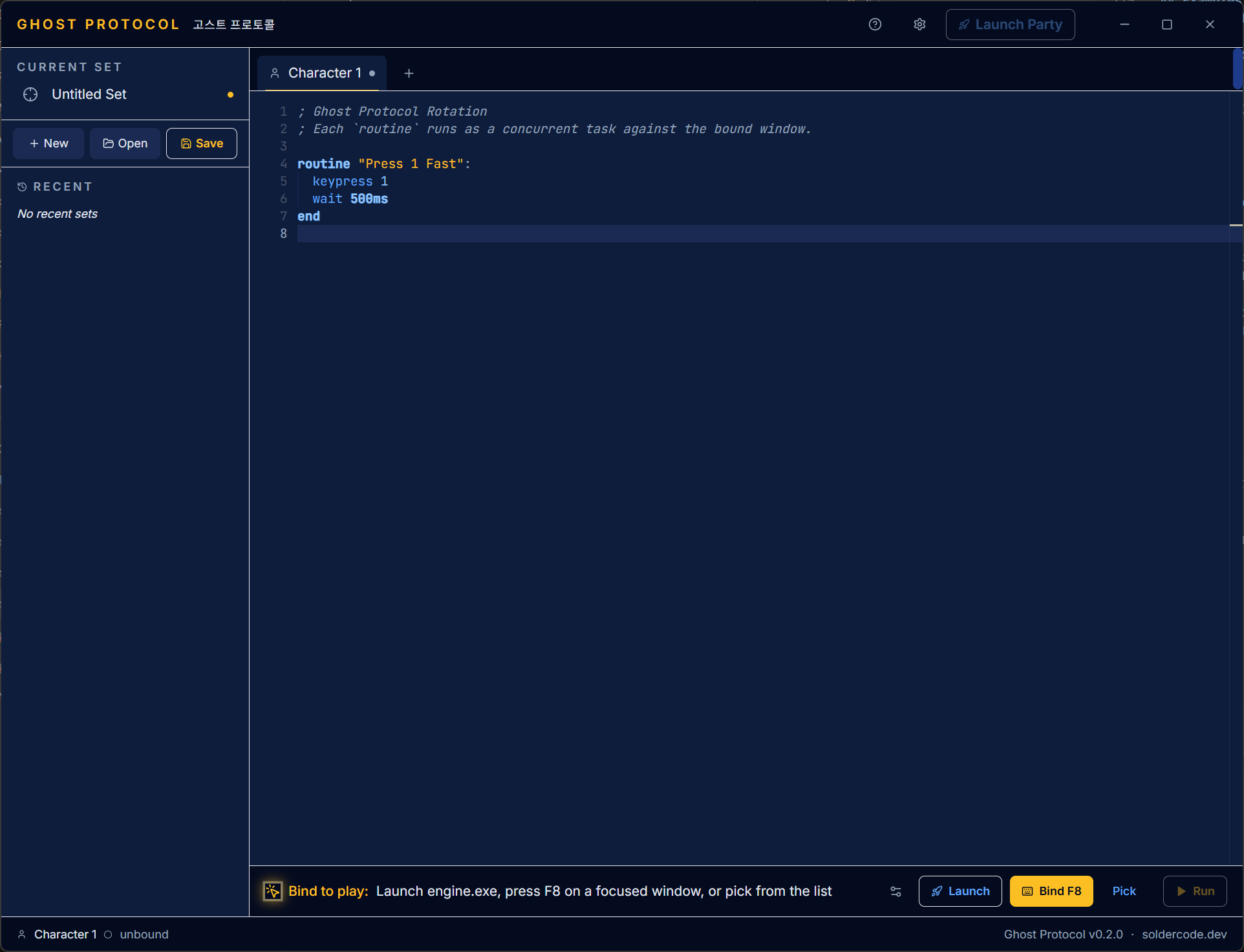
Everything KAL multiboxing needs, in one app.
Class-aware characters
Each tab is a full character: class role (Archer, Mage, Knight, Thief), color, engine.exe path, window placement, and its own rotation script. Switch between them like browser tabs.
Rotation DSL
Write rotations in a small, line-oriented language:
routine "Spam 1", keypress,
wait 500ms, leftclick. Multiple
routines run concurrently against the same bound window.
Launch Party
One click spawns every bound character, tiles their windows using a layout preset (stack, grid, leader-big), and staggers each launch to dodge KAL's login-server throttle.
Party follow
Toggle party-follow with a global hotkey. Non-leader clients click the leader's name in the in-game party panel at a client-relative coordinate — shared across every follower, configured once.
Auto-login
Writes AutoLogin.txt next to engine.exe
pre-launch, then drives the slot picker with arrow keys
and Enter. Pick slot 1 through 4 per character, no manual
typing once configured.
Encrypted at rest
Credentials stored in .gpset files are
encrypted with AES-GCM and an Argon2-derived key. Your
passphrase is entered once per session and never leaves
the device.
Global hotkeys
Bind active tab, start-all, stop-all, and follow-toggle each get a system-wide shortcut. Keyboard, combos, even Mouse4/5 side buttons — captured with a "Test" button so you can verify before saving.
Modifier-bleed guard
The engine skips input injection while you're physically holding Ctrl, Shift, Alt, or Win. No more accidental Ctrl+2 action-bar swaps when a rotation fires the moment you hit a real combo.
A tour of the app.
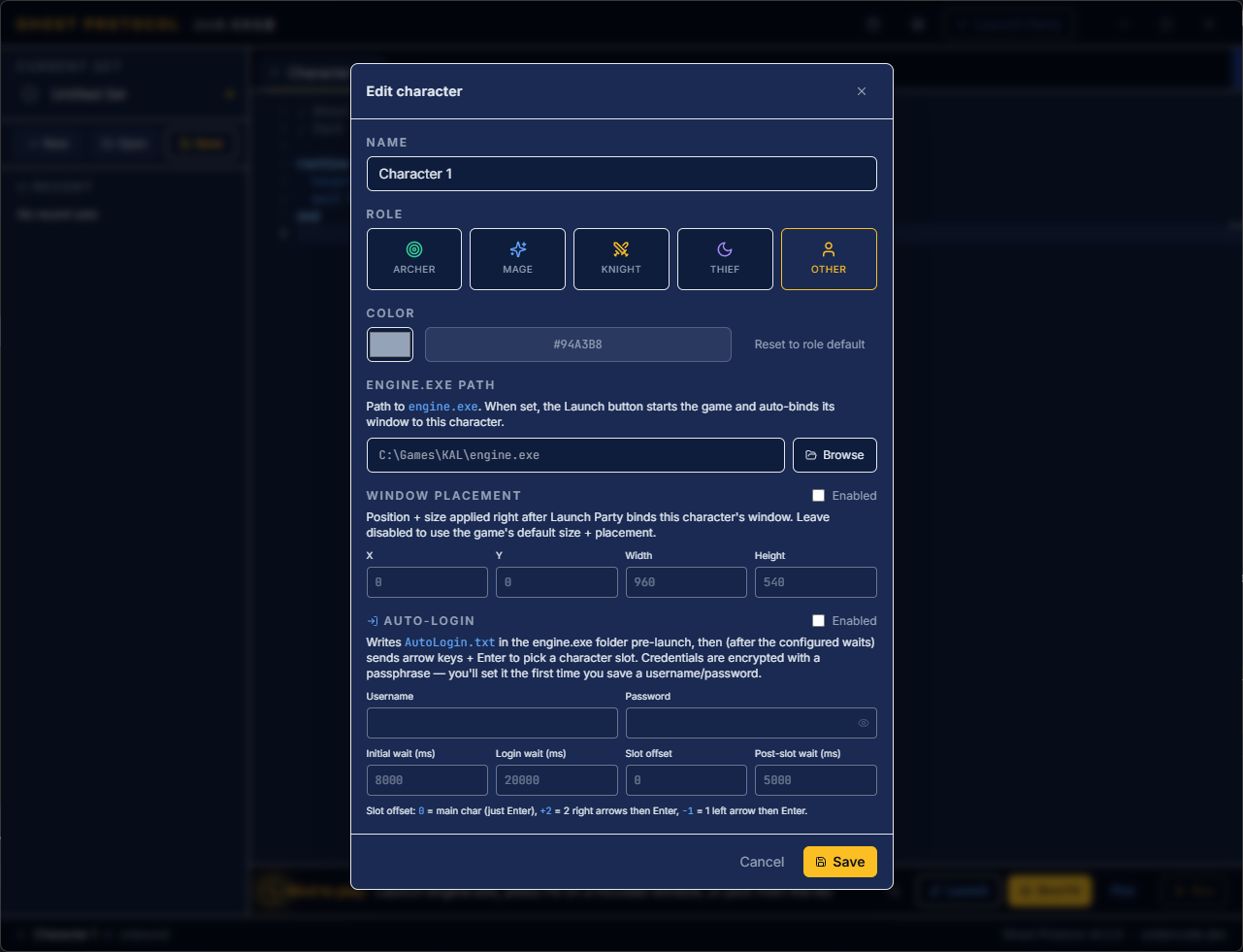
Character editor
Per-character role, color, engine.exe path, fixed window placement, and encrypted auto-login with slot offset.
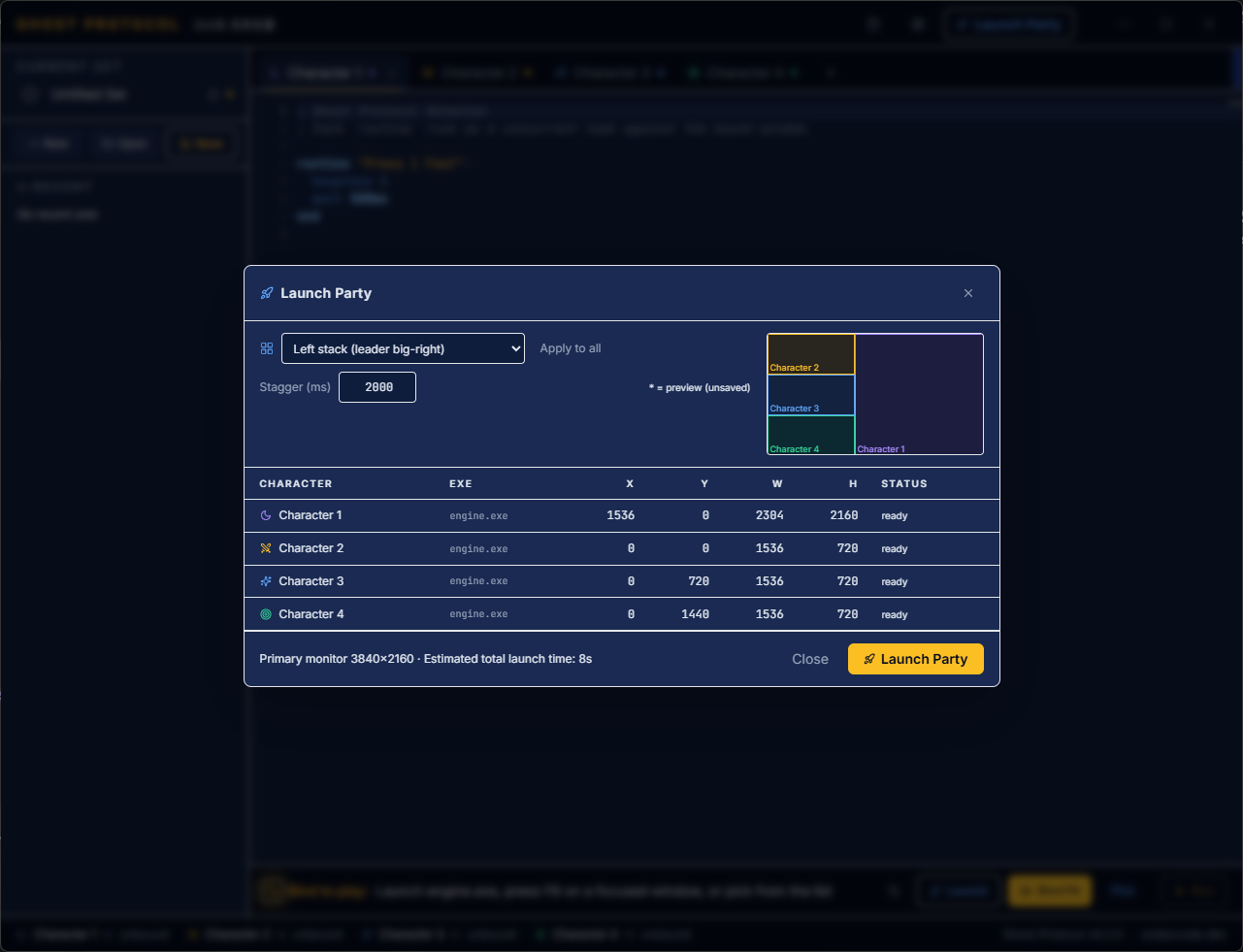
Launch Party
Pick a layout, set a stagger, and Ghost Protocol spawns every engine.exe, positions each window, and waits for ready. Live preview included.
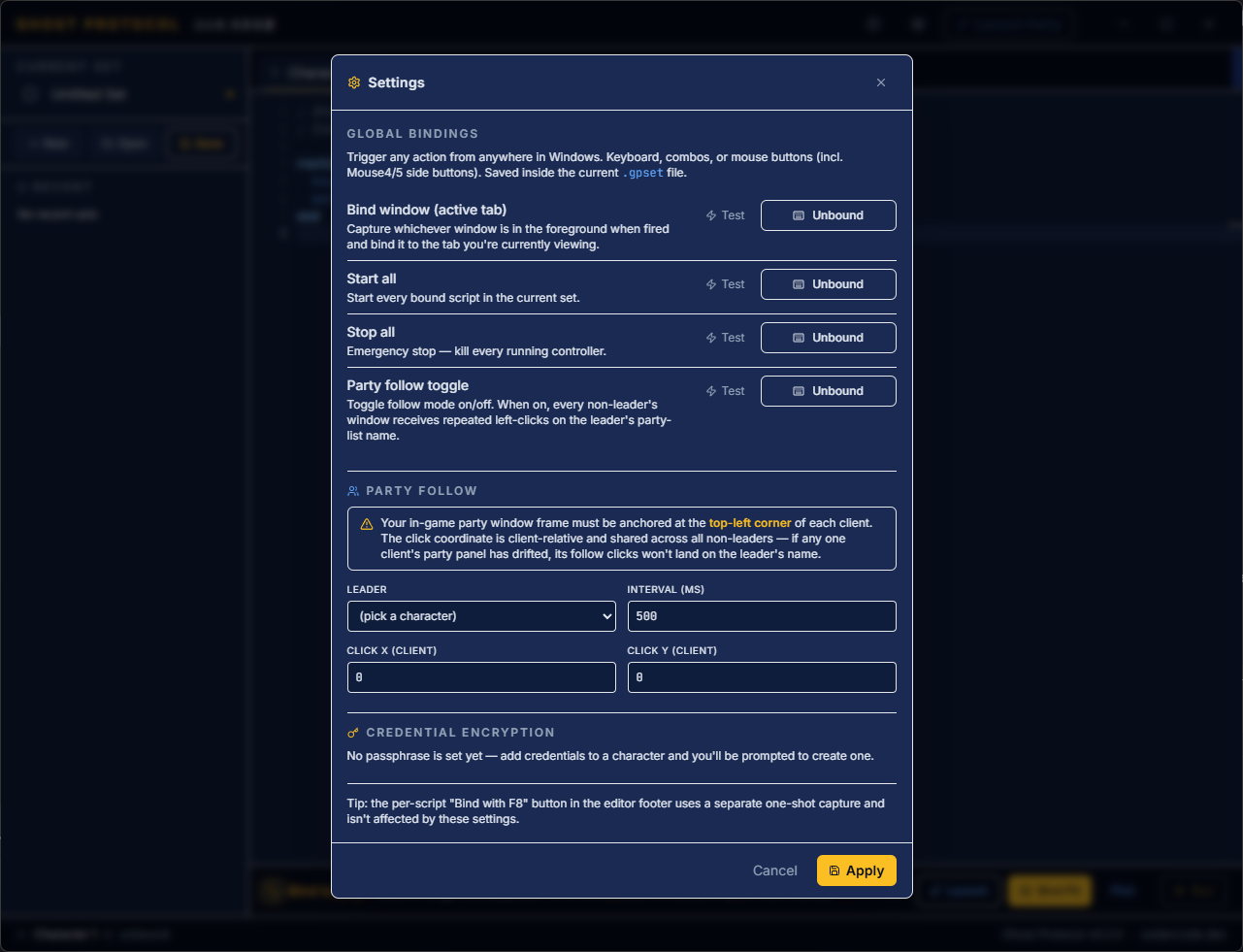
Global bindings & party follow
Set system-wide hotkeys once. Point party-follow at your leader's party-panel slot and let every follower keep up with one shared click coord.
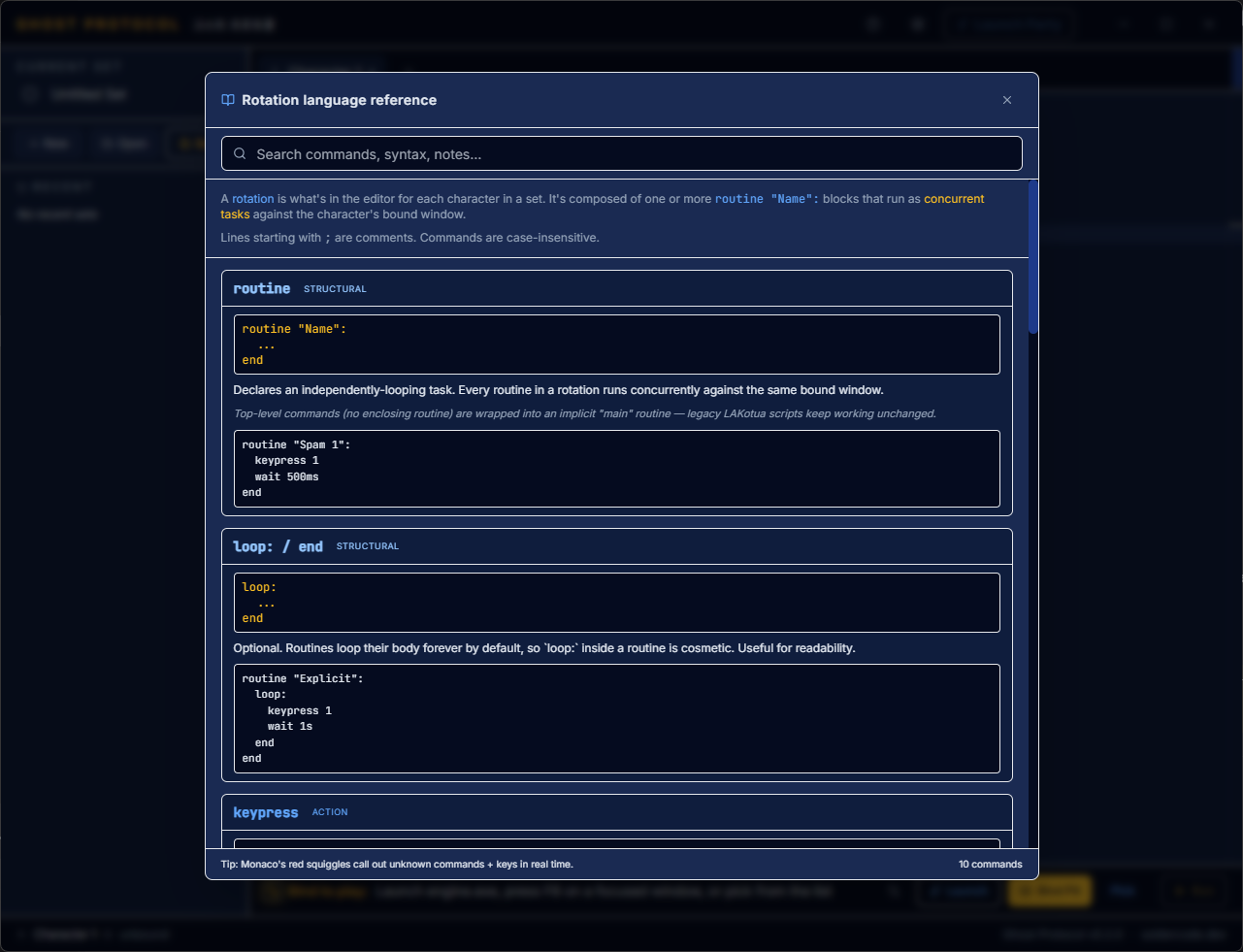
Language reference, built in
Every command with examples, structural tags, and inline
search. No tabbing out to a wiki to remember
keypress vs keydown.
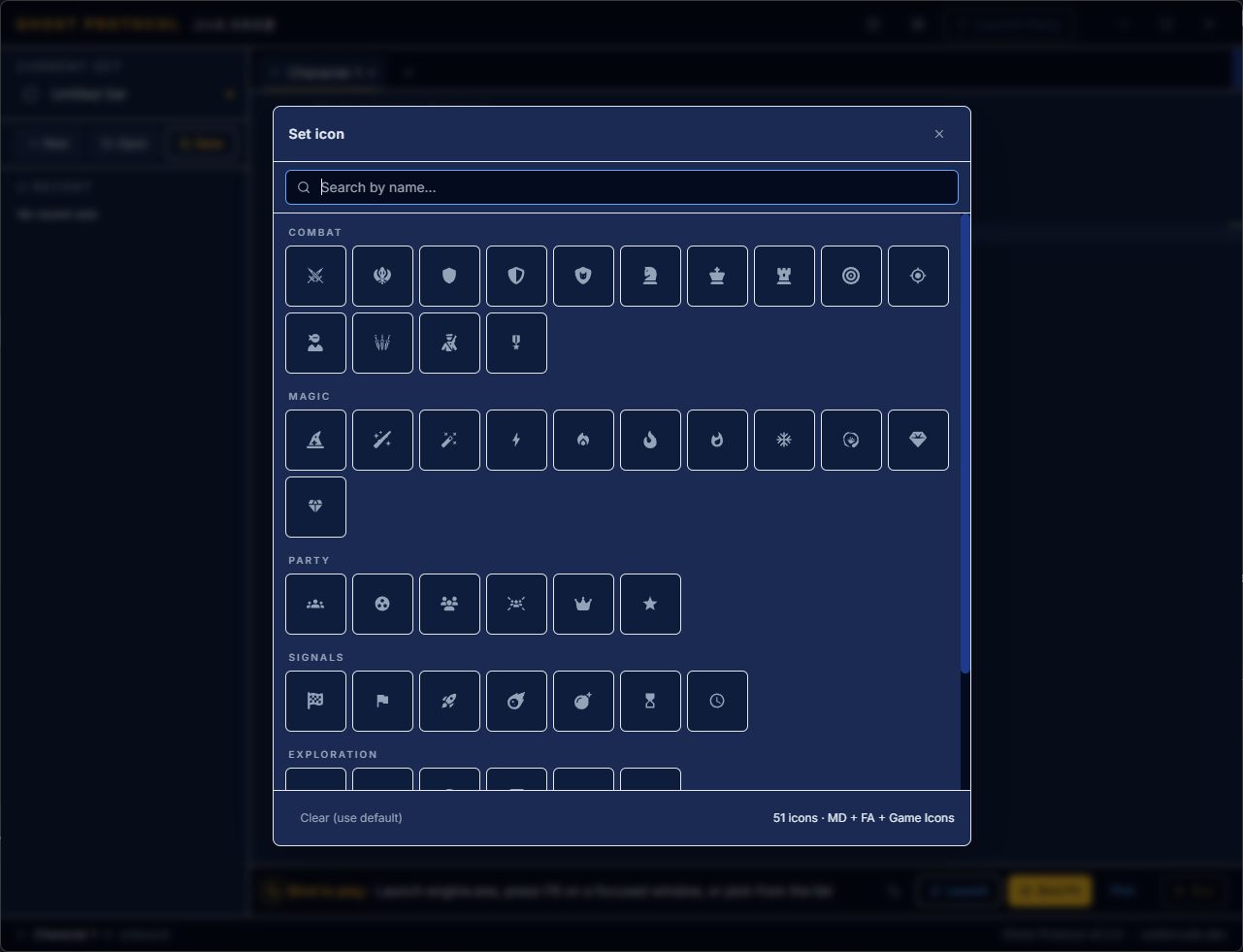
Icon picker
51 bundled icons across Combat, Magic, Party, Signals, and Exploration to tag each set — drawn from Material Design, Font Awesome, and Game Icons.
From install to four characters farming in minutes.
-
01
Create a set
Add one character tab per client. Pick a class role, paste the path to your KAL
engine.exe, and save your credentials once — they're encrypted locally with a passphrase you choose. -
02
Write your rotations
Each character gets its own Rotation script. Declare concurrent
routineblocks for buffs, combos, and spam keys — Monaco flags unknown commands in real time. -
03
Launch the party
Hit Launch Party. Ghost Protocol spawns every engine.exe, drives the auto-login into your chosen slot, tiles the windows, and reports each client "ready" as it comes online.
-
04
Bind, follow, farm
Press your bind hotkey on each client to attach it to its tab. Toggle follow-mode and the non-leaders click your name in the party panel on every tick. Hit start-all and walk away.
Get Ghost Protocol.
Windows 10 and 11, 64-bit. v0.2.1 is the current public cut. Ghost Protocol is a standalone Rust + Tauri app — no runtime dependencies except WebView2 (already on every modern Windows via Windows Update).
Pick the NSIS installer (recommended), MSI (enterprise), or the
portable ghost-protocol.exe on the release page.
Run elevated — KAL's engine.exe requires admin.
Questions or bug reports? Drop in the
Discord.